Delete Your Account
Developer: Entourage Life
⚠️ Important: Deleting your account will permanently remove all your data including:
- User profile and account information
- Mood tracking history and data
- Habit tracking records and analytics
- Journal entries and notes
- Custom meditation audio files
- All associated preferences and settings
This action cannot be undone. Please ensure you have exported any data you wish to keep before proceeding.
Method 1: Delete Account via Mobile App
The easiest way to delete your account is directly through the Entourage Life mobile app:
- Open the Entourage Life app on your device
- Navigate to Profile Settings (usually accessible from the main menu or profile icon)
- Scroll down to find the "Delete Account" button
- Tap the button and follow the on-screen confirmation prompts
- Confirm your decision to permanently delete your account and all associated data
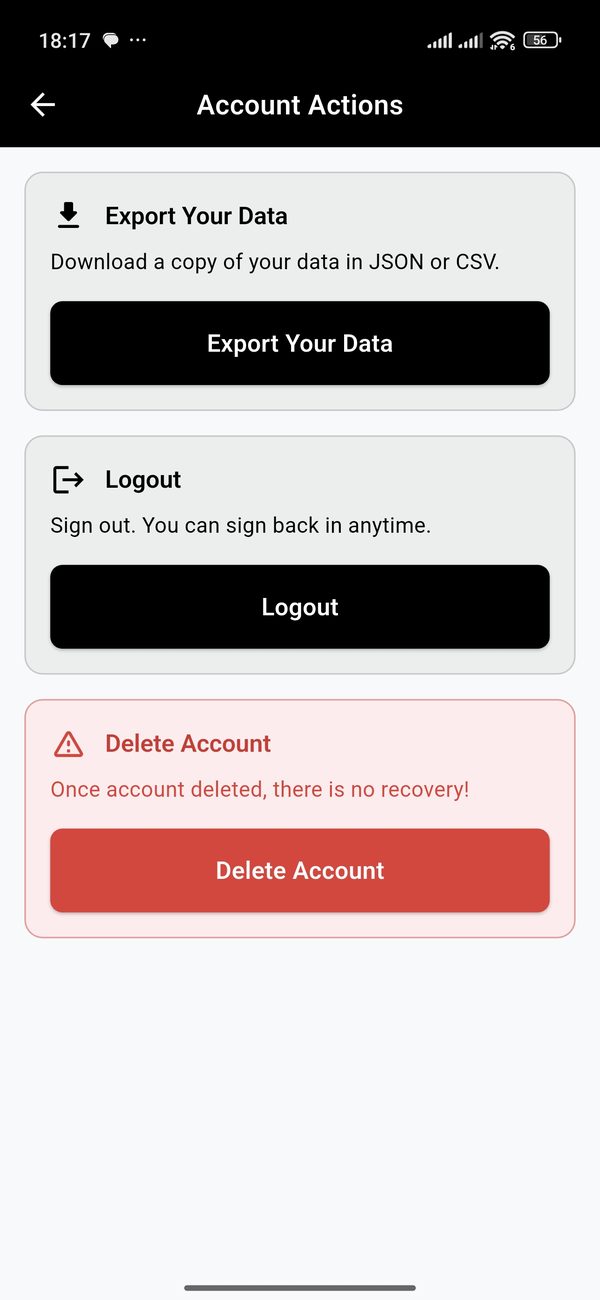
ℹ️ Note: When you delete your account through the app, the deletion process begins immediately. All your data will be permanently removed from our servers within 30 days, in accordance with our data retention policies.
Method 2: Request Account Deletion via Web
If you're unable to access the mobile app or prefer to submit a deletion request through our website, please fill out the form below. Our support team will process your request within 5-7 business days.
📧 What happens next?
After you submit this form, you will receive a confirmation email at the address you provided. Our support team will review your request and process the account deletion within 5-7 business days. You will receive another email once the deletion is complete.